


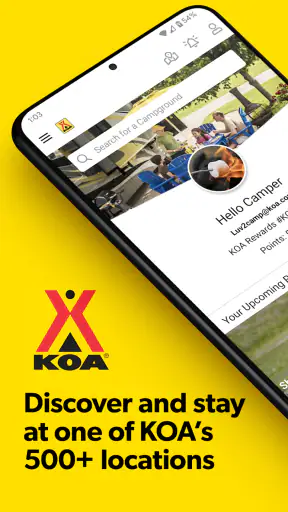
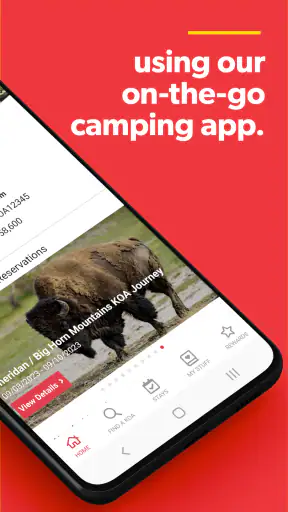
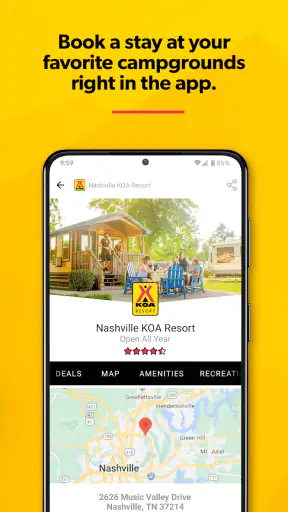
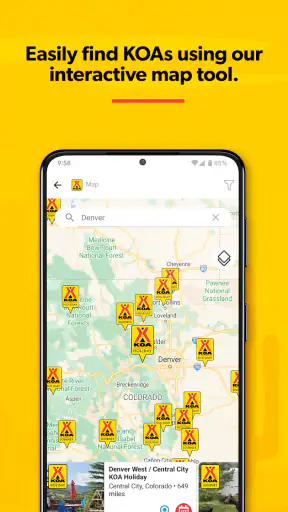
I used KOA Camping | RV, Cabin & Tent as a planning tool for trips where several people need to agree on one place to stay, rather than as a simple directory of campgrounds. That distinction matters. A camping app can help you discover a destination, but the useful one also reduces the back-and-forth over dates, accommodation type, and booking details. In my experience, this app is most helpful when a household is moving from “we should go camping” to a specific, manageable reservation.
It is a free Travel & Local app from Kampgrounds of America, Inc., aimed at people searching for KOA stays and handling the practical steps around them. The app has a 4.7 average from around 12 thousand ratings, and its broad reach is easy to understand: it brings search, trip planning, reservations, and stay management into one place. I would recommend it to regular KOA guests and to occasional campers who prefer a guided booking process, while I would be more cautious about recommending it to someone looking for every independent campsite or a fully open-ended outdoor search.
How it works when a household shares the trip
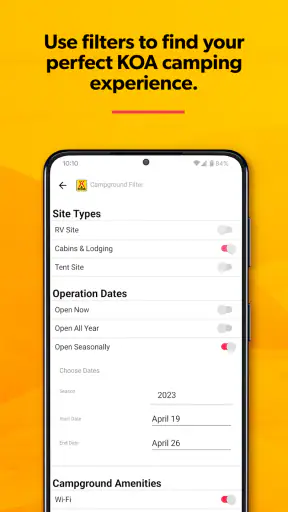
The most realistic use case is a shared-device evening. One person has the phone, another is checking the calendar, and someone else is asking whether the group wants an RV site, a cabin, or a tent space. Instead of opening several unrelated services, I can use the app to focus the conversation around available KOA locations and the kind of stay we actually want. That makes it easier to turn vague preferences into a shortlist.
I found that the app makes more sense when I treat it as a decision-making workspace, not merely a map. A family can first agree on the destination area, then compare the available stay styles, and only afterward worry about the final reservation details. This order prevents a common camping mistake: choosing a location because it looks attractive, then discovering that the accommodation does not suit the people or equipment coming along.
For a couple, the shared-use benefit is simple. One person can search while the other checks work commitments and travel timing. For a larger household, the app does not replace a conversation, but it gives that conversation a concrete reference point. I can show the relevant campground choice, discuss the planned stay, and keep the booking process attached to one recognizable service instead of scattering decisions across search results, maps, and messages.
There is also a useful difference between planning on a large screen and making a quick decision on a phone. The app is designed for mobile use, so it is convenient when plans change during a drive or when I need to review a reservation away from home. However, a phone can make side-by-side comparisons feel cramped. My practical approach is to do the thoughtful comparison when everyone is available, then use the app later for confirmation and stay management.
What to settle before anyone taps the booking button
Household coordination works better when the group agrees on a few boundaries first. The most important is who is responsible for the reservation. If two people independently search and one assumes the other has completed the booking, confusion follows quickly. I would choose one person to handle the final transaction and ask everyone else to review the destination, dates, and accommodation choice before that step.
The second boundary is the difference between a preferred option and a confirmed stay. A campground can be the group favorite without being the selected reservation. I keep those ideas separate in conversation: “this is our first choice” is not the same as “this is booked.” That small habit is especially useful when several household members use the same phone or when plans are being discussed in a group chat.
A third boundary concerns account access. The app is free to install and is suitable for Everyone, but that does not mean every household member should automatically control the reservation. A booking can involve travel dates, guest information, and payment decisions, so I would keep final account and reservation responsibility with the adult who is actually organizing the trip. Younger users can participate in choosing a campground without being given responsibility they do not understand.
This is not a criticism of the app; it is a sensible way to use any travel service. I would not expect a camping application to solve household permissions or decide who is allowed to change a reservation. Those are human arrangements. Before sharing a device, I would agree on who may search, who may edit trip details, and who gives final approval. That simple division reduces accidental changes and makes the app easier to trust in a busy household.
Using the app to coordinate different camping styles
One of the more useful planning insights is that “camping” does not describe one experience. In the same household, one person may want to bring an RV, another may prefer a cabin, and someone else may imagine a traditional tent stay. KOA Camping | RV, Cabin & Tent is well suited to starting that discussion because the stay type is part of the app’s identity rather than an afterthought.
I would begin by asking what the group needs for comfort, not what sounds most adventurous. If someone is new to camping, a cabin may make the trip feel approachable. If the household already owns an RV, an RV-oriented option may simplify equipment planning. A tent stay can be the right choice for people who value a more direct outdoor experience. The app helps organize the search, but it cannot make those lifestyle choices for the group; that is where honest discussion matters.
A practical workflow is to create a short list based on the destination and then eliminate choices that fail the group’s real constraints. Think about arrival timing, sleeping arrangements, equipment, and who will be responsible for setup. This is more effective than choosing the cheapest-looking or most visually appealing result first. A campground that works beautifully for an experienced tent camper may be a poor fit for a household carrying extra gear or traveling with someone who needs a simpler arrival.
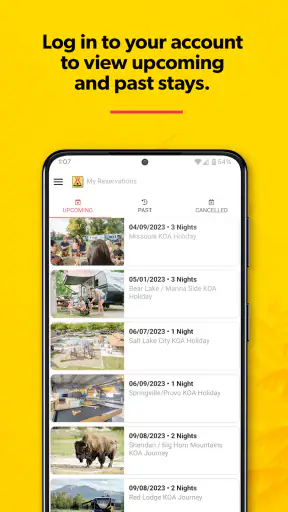
I also like the idea of using the app before the trip as a shared reference, then returning to it after the reservation is made. The planning phase answers “where and what kind of stay?” The management phase answers “what did we actually reserve, and what do we need to remember?” Keeping those phases distinct helps prevent people from relying on an old conversation when the confirmed booking is what matters.
Account boundaries, trust, and age context
The Everyone content rating makes the app comfortable to discuss around a household, and its subject is naturally suitable for family trip planning. Still, an age rating is not the same as a permission system. I would let children or teenagers help compare destinations and talk about whether a cabin or tent sounds better, but I would keep personal information and final booking actions with a responsible adult.
This approach also works for shared tablets or phones. If the device is used by several people, I would avoid leaving the app open at the point where a reservation can be changed without discussion. After reviewing a booking, I would return the device to its ordinary shared-use state. The aim is not to make the app feel difficult; it is to preserve a clear line between browsing together and making a commitment.
Trust matters in another way: everyone should know which person is the source of truth for the trip. If one household member searches on one device and another searches elsewhere, the group can easily end up discussing different dates or locations. I recommend naming the chosen reservation in plain language when sharing it, such as the destination and stay type, rather than saying only “the KOA booking.” That makes coordination clearer for people who did not perform the search themselves.
For relatives or friends joining the trip, the app can support the organizer’s preparation, but I would still communicate the important details directly. Not everyone needs access to the same account or device. Sharing the destination, arrival plan, and accommodation type in a message or conversation is often enough for coordination, while the organizer keeps control of the actual reservation workflow.
Where it is stronger than ordinary alternatives
The usual alternative is a general web search followed by separate campground pages, map results, and booking screens. That approach can uncover a wider variety of places, including independent campgrounds, but it also creates more work. Information may be presented in different formats, and the person planning the trip has to decide which source to trust for each part of the process.
This app’s advantage is focus. It is built around KOA stays, so the search experience is more coherent for someone who already wants that network. Planning and managing the stay in the same app feels more direct than collecting links and hoping the details remain consistent. For a first-time camper who wants a recognizable starting point, that reduced complexity is meaningful.
The trade-off is equally important. If my priority were finding the most remote campsite, comparing every public campground in a region, or exploring places outside the KOA system, I would use a broader camping directory or map service alongside it. KOA Camping | RV, Cabin & Tent should not be treated as a universal replacement for every outdoor-travel tool. Its value comes from being specialized, and specialization naturally narrows the field.
It also differs from using a general travel-booking app. A broad travel service may be better for comparing hotels, flights, or unrelated lodging in one itinerary. This app is more relevant when the central question is the KOA camping stay itself. I would choose the general service for a mixed trip with several types of accommodation, but choose this app when the campground reservation is the main event.
Small habits that make the experience smoother
My first tip is to search with the group’s non-negotiables already written down. That might include the preferred accommodation style, acceptable travel area, and who is coming. Doing this before opening the app keeps the household from being distracted by attractive but unsuitable options. It also makes the final choice easier to explain to someone who was not part of the initial search.
My second tip is to review the reservation as a group before treating it as final. The person who taps through the process may notice details that others miss, while another household member may remember a schedule conflict. A two-minute verbal check can prevent a much longer correction later. I consider this especially valuable when the app is being used on a shared device and several people assume they understand the same plan.
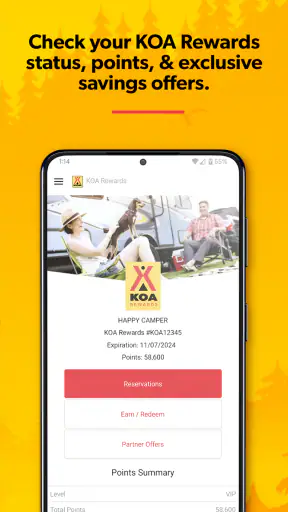
My third tip is to use the app for management after booking instead of relying entirely on memory. Travel plans often change, and the reservation-related information is more useful when checked in the service handling the stay. I would make the organizer responsible for opening the app before departure and confirming that the household is working from the current booking details.
My fourth tip is to decide whether the app is the primary planner or one part of a larger toolkit. For a straightforward KOA trip, it may be enough for the campground side of the journey. For a route involving fuel stops, attractions, weather, offline navigation, or non-KOA lodging, I would pair it with other tools rather than expecting one camping app to cover the entire trip.
Performance expectations and everyday friction
The app has been available since November 20, 2013, and the current version is 4.0.26. It supports devices running Android 7.0 or later, which gives it a practical reach across many older Android phones as well as newer ones. I see that compatibility as helpful for households where the trip organizer does not have the latest device.
That said, older phones can make any travel workflow feel slower, especially when several people are waiting for a search or trying to review information together. I would not plan a complicated group discussion around a nearly full battery or an unreliable connection. The app is useful on the move, but responsible trip planning still means preparing before departure rather than assuming every decision can be made at the roadside.
The main friction is not that the app lacks a clear purpose; it is that a focused service cannot answer every camping question. The app can organize the KOA side of the trip, but I still need common sense about equipment, route timing, weather, and the needs of the people traveling. Someone expecting a complete outdoor survival guide or a universal campground database may feel restricted.
Another limitation is social rather than technical. A shared plan can become messy if too many people edit or reinterpret it. The app does not remove the need for a household organizer. I would call that a realistic trade-off: the app simplifies the reservation workflow, but it cannot replace agreement about responsibility.
Who should use it, and who should look elsewhere?
I think this app is a strong fit for a household that already prefers KOA, a couple arranging a weekend camping stay, or a newcomer who wants a more structured path than browsing random campground pages. It is also useful for an organizer who wants to keep the search and stay-related tasks close together, especially when the rest of the group is contributing opinions from a shared phone.
I would be less enthusiastic for an experienced camper whose main goal is discovering independent, dispersed, or highly specialized outdoor locations. That person may get more value from a broad map tool, a public-land resource, or a camping directory that covers a wider range of providers. I would also look elsewhere if the trip includes many non-camping bookings and I want one general travel itinerary rather than a focused campground app.
People who dislike account-based planning or who rarely stay at KOA locations may not gain enough from installing it. The free price removes a financial barrier, but it does not remove the opportunity cost of maintaining another travel app. I would install it when the likely trip matches its focus, not simply because it is available at no charge.
My household verdict
After using KOA Camping | RV, Cabin & Tent as a planning companion, I see its best quality in the way it gives a shared trip a clear center. It helps a household move from competing ideas to a specific KOA stay, while keeping the organizer close to the reservation and management steps. The experience is most successful when one adult owns the final booking responsibility and everyone else contributes during the search and review stages.
The app is not a complete replacement for general maps, independent campground directories, or broader travel-booking services. Its narrower focus is both its strength and its boundary. I would choose it confidently for a KOA-centered trip, especially when the group needs to compare RV, cabin, and tent possibilities without turning the planning session into a pile of disconnected web pages.
With over one million installs, a free download, an Everyone rating, and a strong 4.7 average, it has clearly found an audience among travelers who want that focused approach. Those figures are useful context, but my recommendation comes down to fit: use it when a KOA stay is the anchor of the trip and household coordination matters. If that describes your next outing, I think it is worth keeping on the phone.


